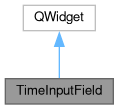
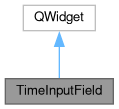
A widget for entering a time point. More...
#include <TimeInputField.hpp>
Public Slots | |
| void | setTime (types::TraceTime newTime) |
| Sets the time. More... | |
Public Member Functions | |
| TimeInputField (QString labelText, TimeUnit timeResolution, types::TraceTime initialTime, QWidget *parent=nullptr) | |
| void | setUpdateFunction (std::function< void(types::TraceTime)>) |
Detailed Description
A widget for entering a time point.
TimeInputField provides a combination of a QLabel, QLineEdit and QComboBox.
The QLabel displays an informational text, QLineEdit is a field that allows a double value as input, and the QComboBox can be used to select a time unit. Selecting a different time unit will automatically adjust the value in the input field. The purpose of this widget is to control a TraceTime at different degrees of granularity.
By default, the widget does only keep its internal state and does not modify any other variable. In order to use the entered value you have to set an update function using setUpdateFunction(yourFunc).
Definition at line 50 of file TimeInputField.hpp.
Constructor & Destructor Documentation
◆ TimeInputField()
| TimeInputField::TimeInputField | ( | QString | labelText, |
| TimeUnit | timeResolution, | ||
| types::TraceTime | initialTime, | ||
| QWidget * | parent = nullptr |
||
| ) |
Creates new TimeInputField.
- Parameters
-
labelText Informational text to display left of the input field timeResolution Initial temporal resolution of the widget initialTime Initial value to display parent
Definition at line 25 of file TimeInputField.cpp.
Member Function Documentation
◆ setTime
|
slot |
Sets the time.
The UI is updated afterwars to reflect the new time
- Parameters
-
newTime The new time
Definition at line 64 of file TimeInputField.cpp.
◆ setUpdateFunction()
| void TimeInputField::setUpdateFunction | ( | std::function< void(types::TraceTime)> | newUpdateFunction | ) |
Set an update function that is called when a new value is entered. See TimeInputField for an example.
Definition at line 60 of file TimeInputField.cpp.
The documentation for this class was generated from the following files:
- src/ui/widgets/TimeInputField.hpp
- src/ui/widgets/TimeInputField.cpp